Skip to content
For Apple Vision Pro

Step back inside your memories.

xVR Player plays your VR180, 360° and 3D videos the way they were shot: in full 8K, all around you. From your Plex server, Photos or Files.

  • VR180
  • 360°
  • Fisheye
  • 2D & 3D
  • 8K HEVC
  • HDR
Download on the App Store

Apple Vision Pro, visionOS 26 or later.

Three sources, one library

Plex, Photos and Files.

Point it at what you already have. Nothing is converted, uploaded or re-encoded.

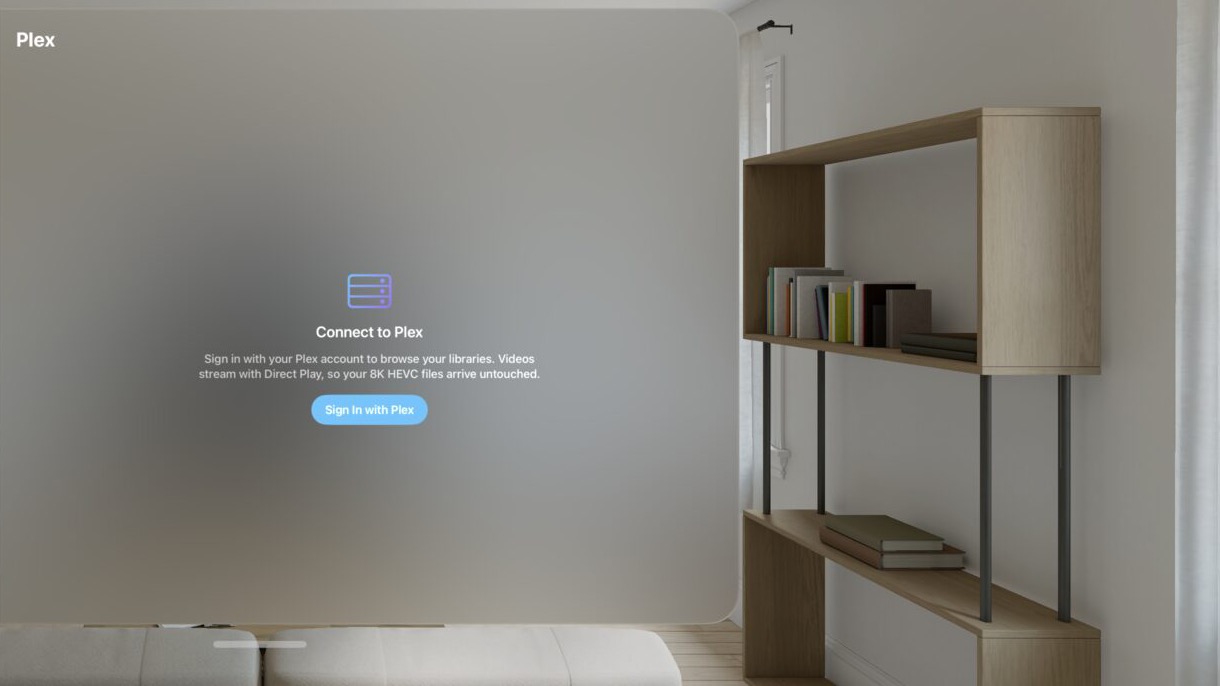
  1. The Plex tab of the app window, beside a bookshelf in a sunlit room. The pane reads Connect to Plex, explains that videos stream with Direct Play so 8K HEVC files arrive untouched, and offers a Sign In with Plex button.
    01

    Plex

    Sign in with a code; your password never touches the app. Direct Play streams the original file at full 8K and picks the fastest route to your server. Continue Watching, search and watched state stay in sync.

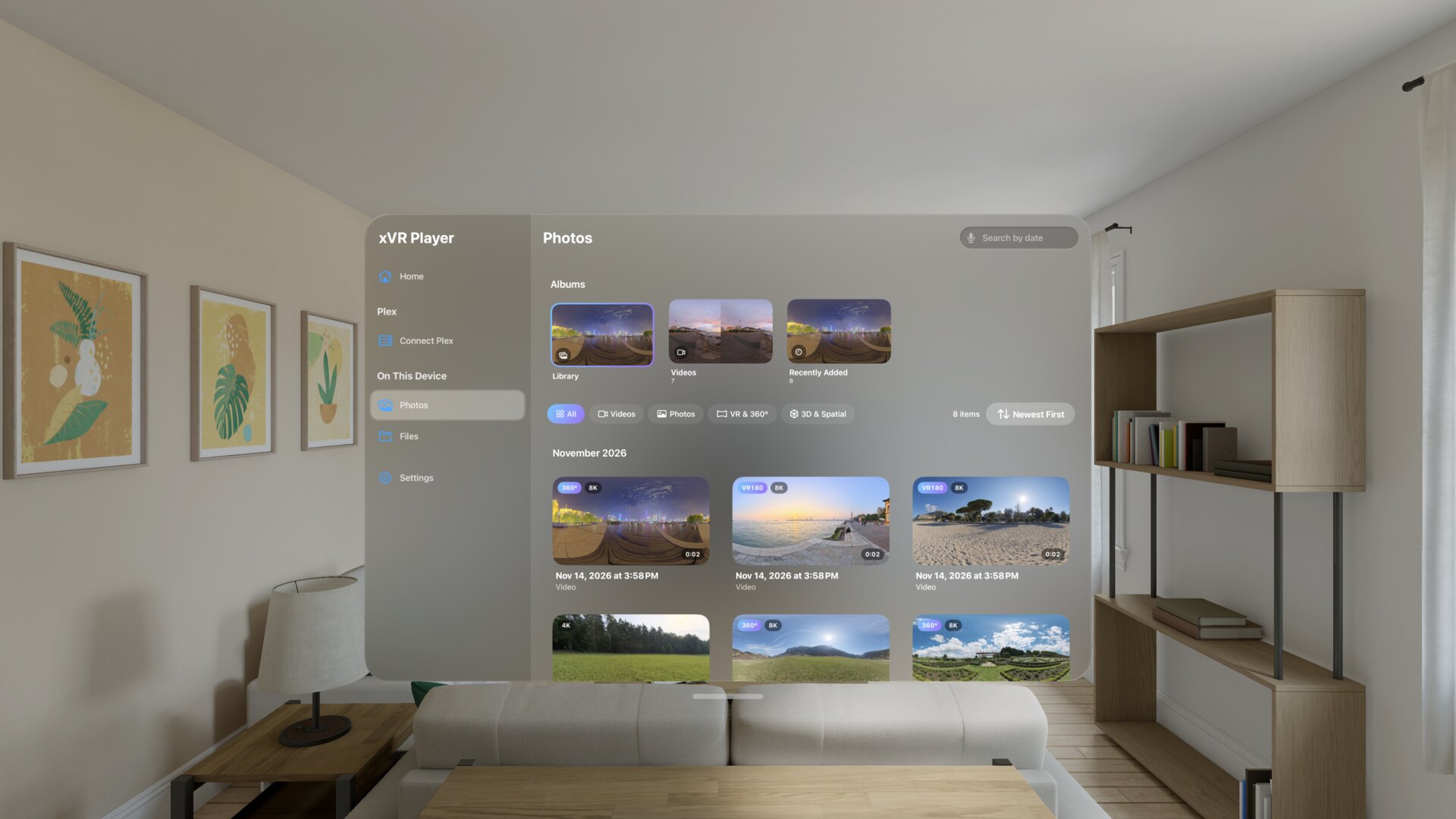
  2. The Photos tab in a sunlit living room: a row of album covers (Library, Videos, Recently Added), filter chips for All, Videos, Photos, VR & 360° and 3D & Spatial, and a November 2026 grid of clips tagged 360° or VR180 and 8K.
    02

    Photos

    Browse your albums, from Favorites and Spatial to your own, and filter to VR & 360° or 3D in one tap. Spatial videos play in native 3D; 360° photos and panoramas surround you. iCloud originals download on demand. Your library is read in place; nothing is uploaded or changed.

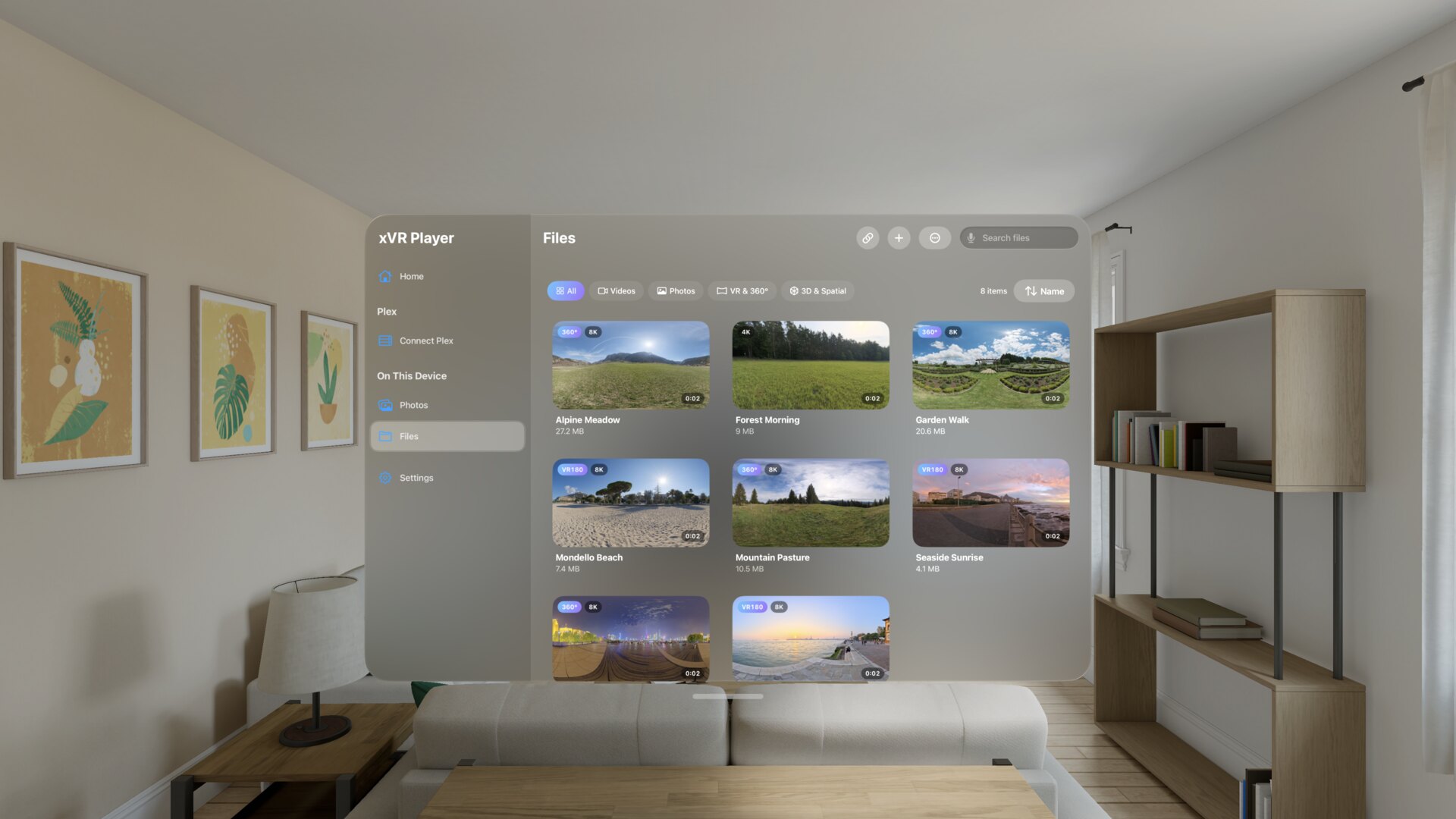
  3. The Files tab: a grid of eight landscape thumbnails, each tagged 360° or VR180 and 8K, with names like Alpine Meadow, Mondello Beach and Venice Sunset.
    03

    Files

    Open from iCloud Drive, external drives and network shares. Formats are tagged as they arrive; filter, sort and search to find a clip fast. Paste a URL to play an MP4 or HLS stream.

What it does

The view is the whole point.

Everything else stays out of the way.

01

True VR playback.

VR180 and 360° in 2D or 3D, side-by-side and over-under, plus fisheye lenses from 180° to 220°. Correct per-eye stereo, 10-bit color, HDR10 and HLG tone mapping.

  • 8K HEVC Main 10
  • H.264
  • HDR10 · HLG
  • MV-HEVC spatial
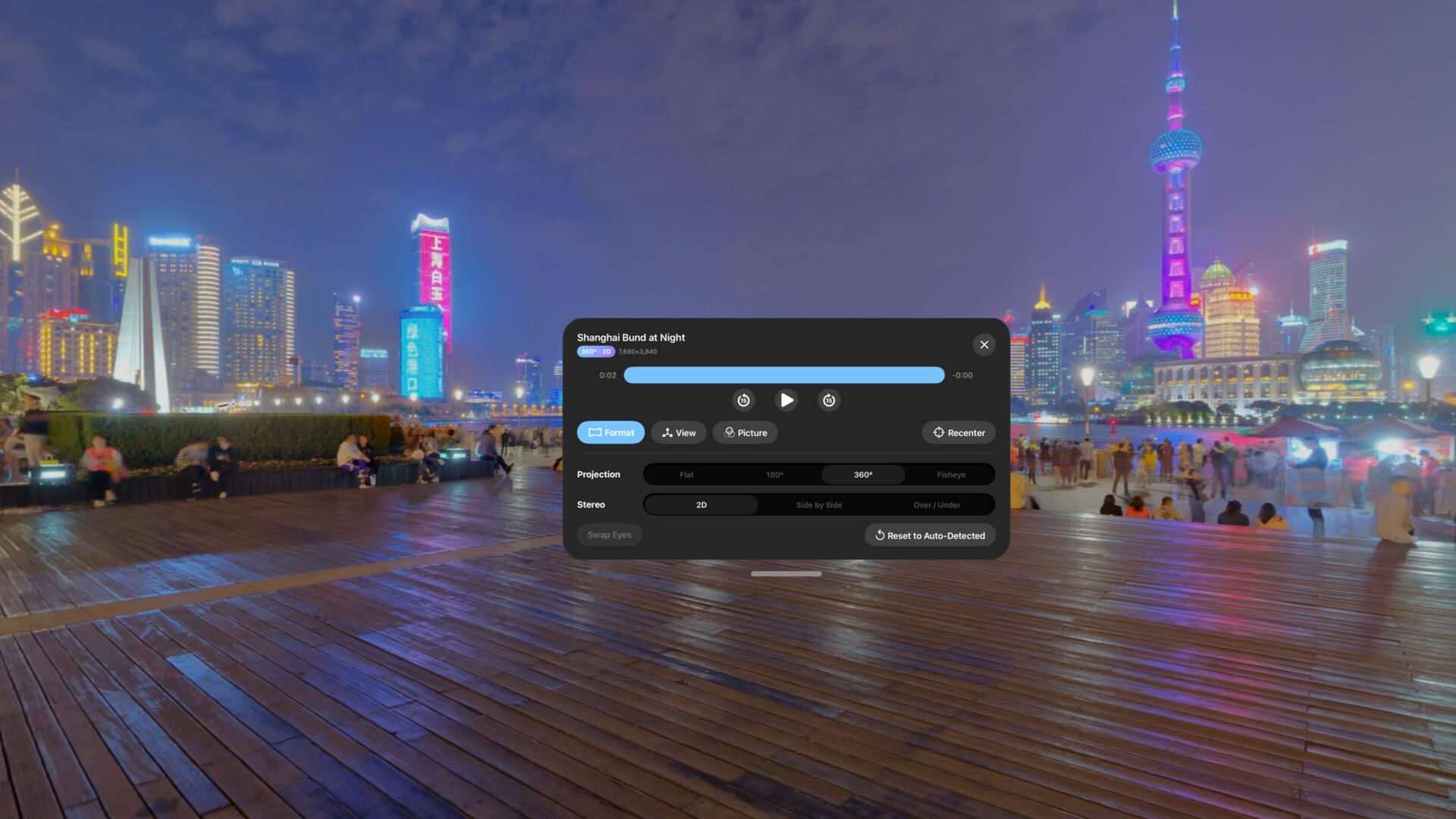
A 360° video of the Shanghai Bund at night surrounds the viewer: lit towers across the river and a wooden promenade underfoot. A floating glass control panel shows the Format tab with Projection set to 360° and Stereo set to 2D.
02

Works with the files you already have.

No VR metadata needed. xVR Player reads the file name, resolution and library labels, then remembers any correction you make per video. One tap to override, never twice.

  • _180_LR
  • _360_TB
  • _3dh
  • HSBS
  • fisheye190
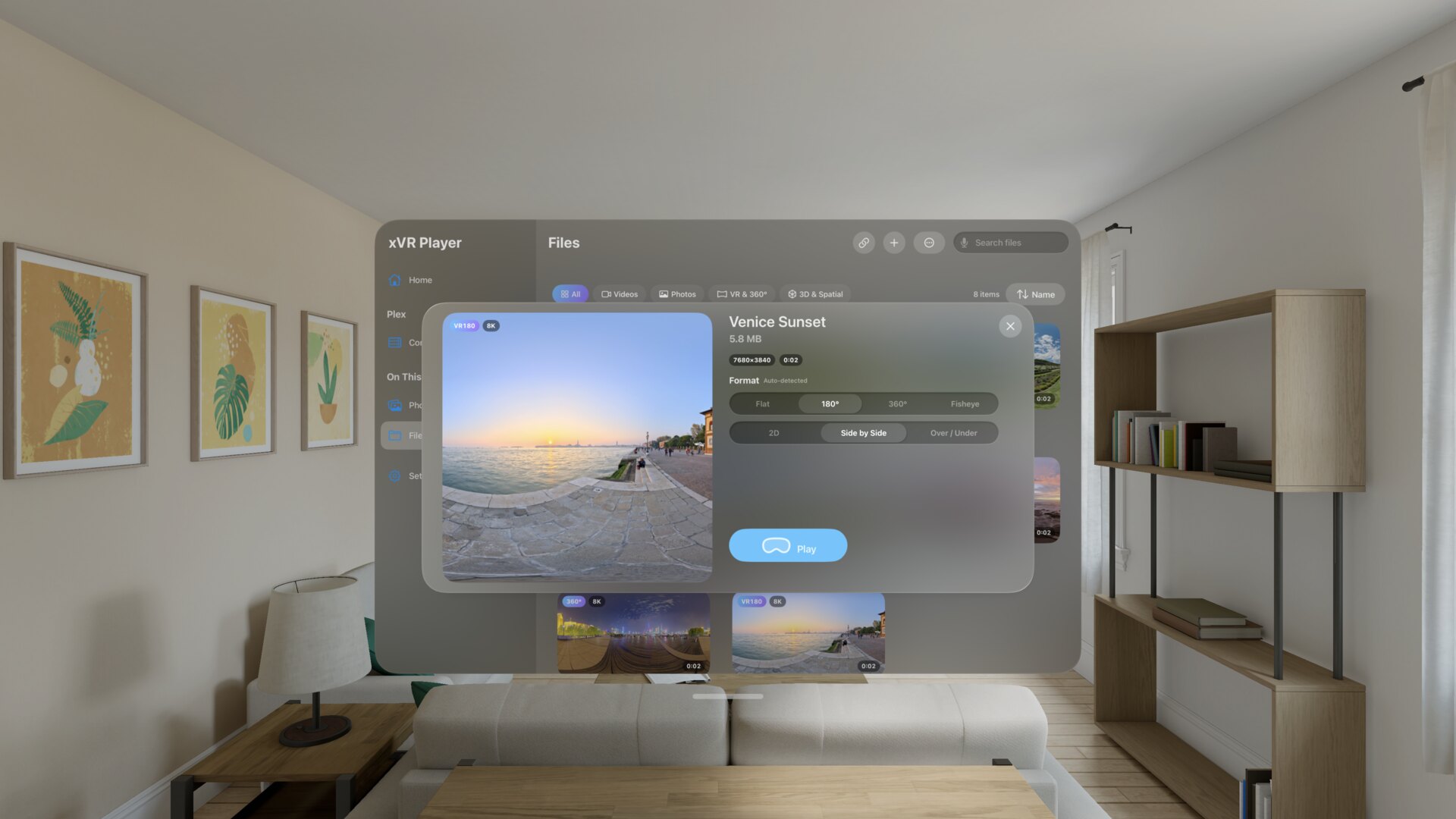
A detail sheet for a video called Venice Sunset floats in a living room. It shows a VR180 8K badge, a 7680×3840 label, and the auto-detected format: 180° and Side by Side, with a Play button below.
03

A private cinema.

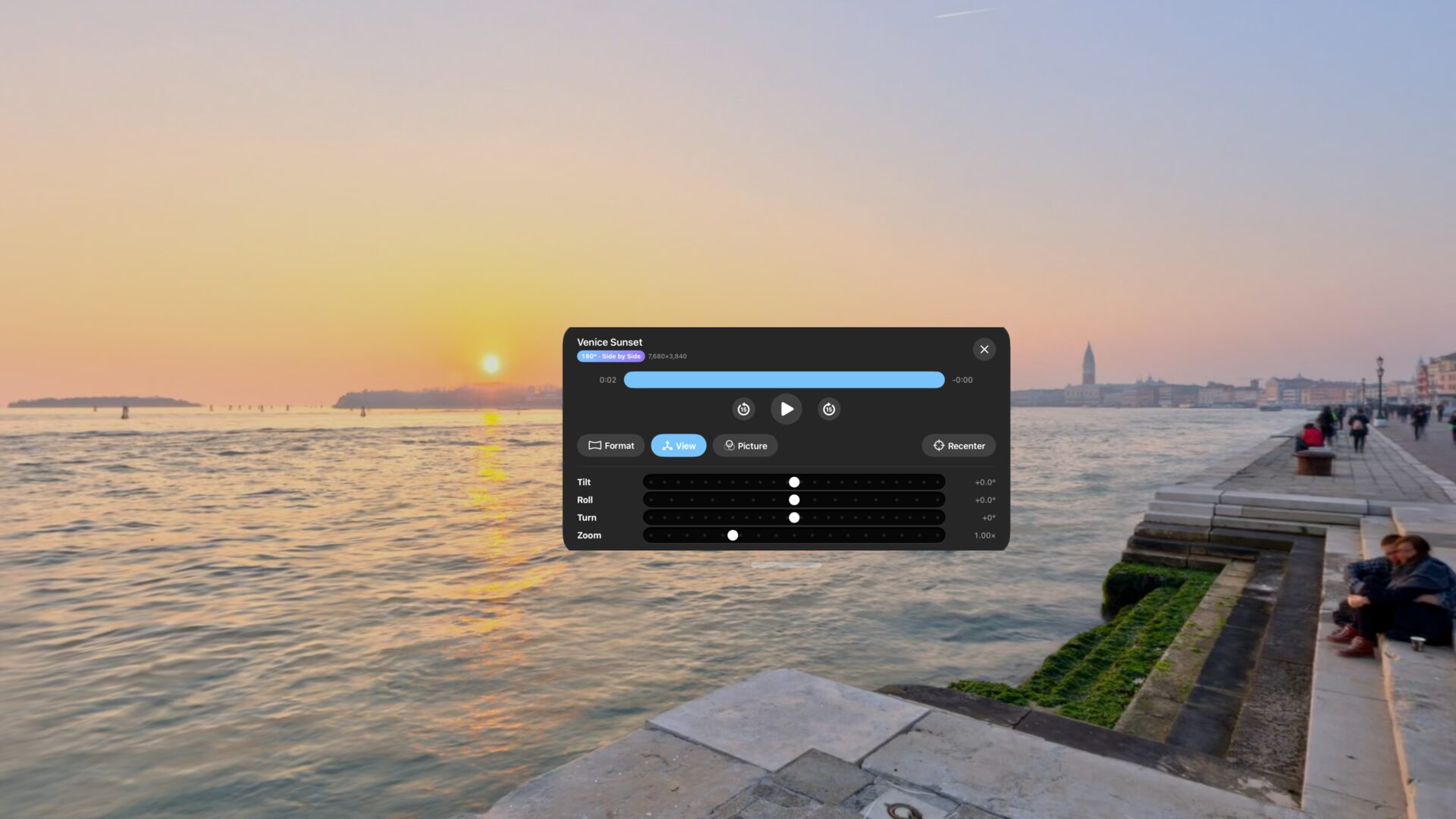
Any 2D or 3D movie on a curved screen you size, place and bend to taste. Level the horizon with tilt, roll and turn; zoom into 180° footage; tune brightness, contrast and saturation. Recenter with one tap, and the controls hide themselves while you watch.

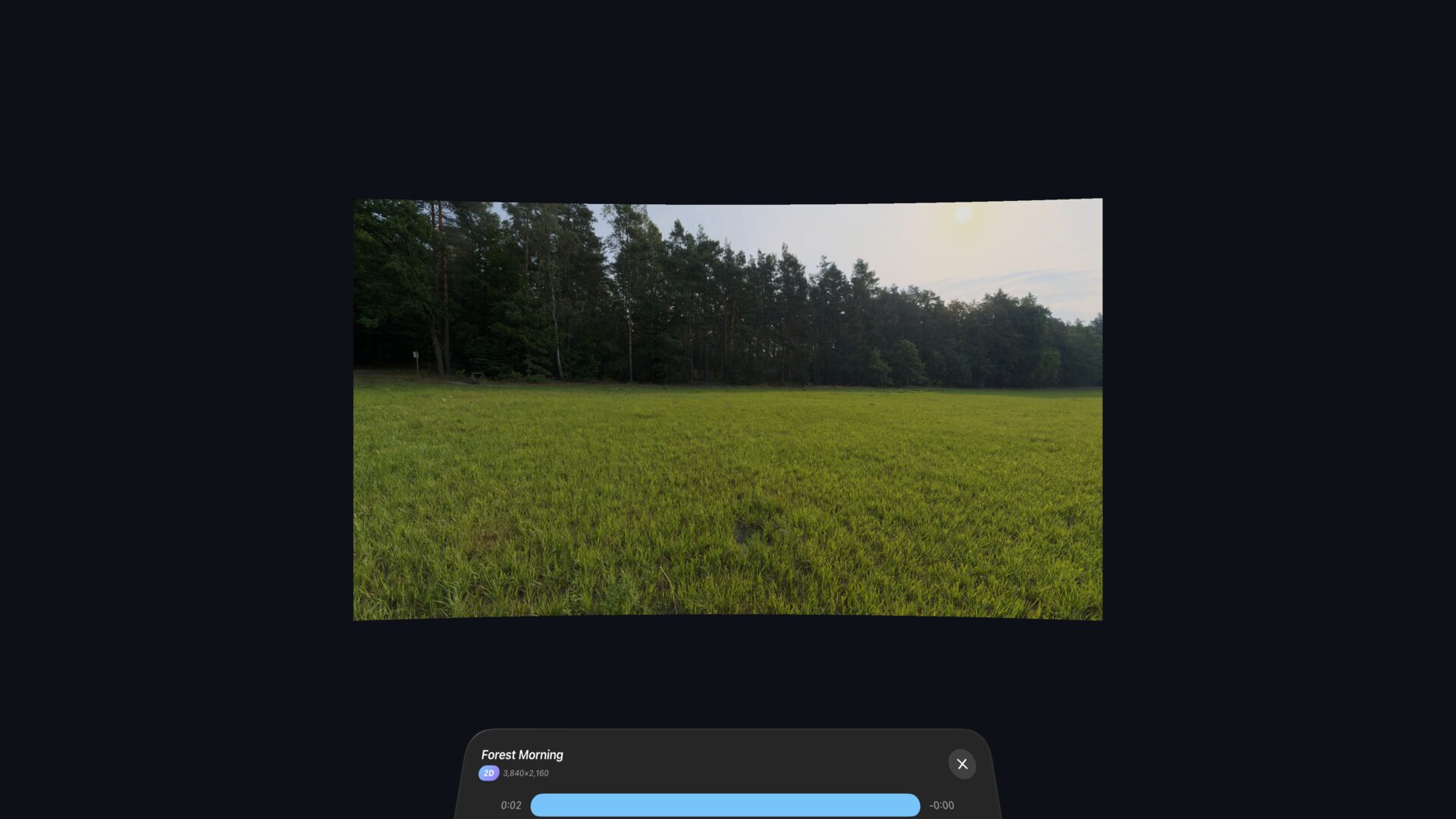
A gently curved cinema screen floats in darkness, showing a forest meadow at dawn. Below it, a compact control bar names the video Forest Morning with a 2D badge and a progress scrubber.
04

Private by design.

No accounts, no ads, no analytics, no tracking. Your media and your Plex sign-in stay on your device. Read the privacy policy; it fits on one screen.

The details

What it needs, what it plays.

Requires
Apple Vision Pro with visionOS 26 or later.
Plex
Optional. Plex features need your own Plex Media Server. MKV is remuxed by the server without re-encoding.
Video
MP4, MOV and M4V with HEVC (including 10-bit Main 10) or H.264, up to 8K. We recommend up to 7680×3840 at about 30 fps and 150 Mbps for smooth playback.
Projections
Flat, 180°, 360° and fisheye 180° to 220°. Mono, side by side or over-under, with swap eyes.
Photos
JPEG, HEIC including spatial photos, PNG, and 360° panoramas.
Privacy
Data Not Collected, as listed on the App Store. The details are in the privacy policy.

Your world, all around you.

xVR Player is out now for Apple Vision Pro. Questions? The FAQ and privacy policy are right here.

Download on the App Store