Skip to content
For Apple Vision Pro, iPhone and iPad

Learn words where you live.

Loci is a vocabulary trainer built on the oldest memory trick there is: put what you want to remember in a place you know. Pin word cards around your home, then walk through and recall them.

  • Korean
  • Japanese
  • Spanish
  • English
Coming soon to the App Store

visionOS 26, iOS 26 and iPadOS 26 or later.

A memory palace, made literal

Place, recall, review.

The method is two thousand years old. The room is yours.

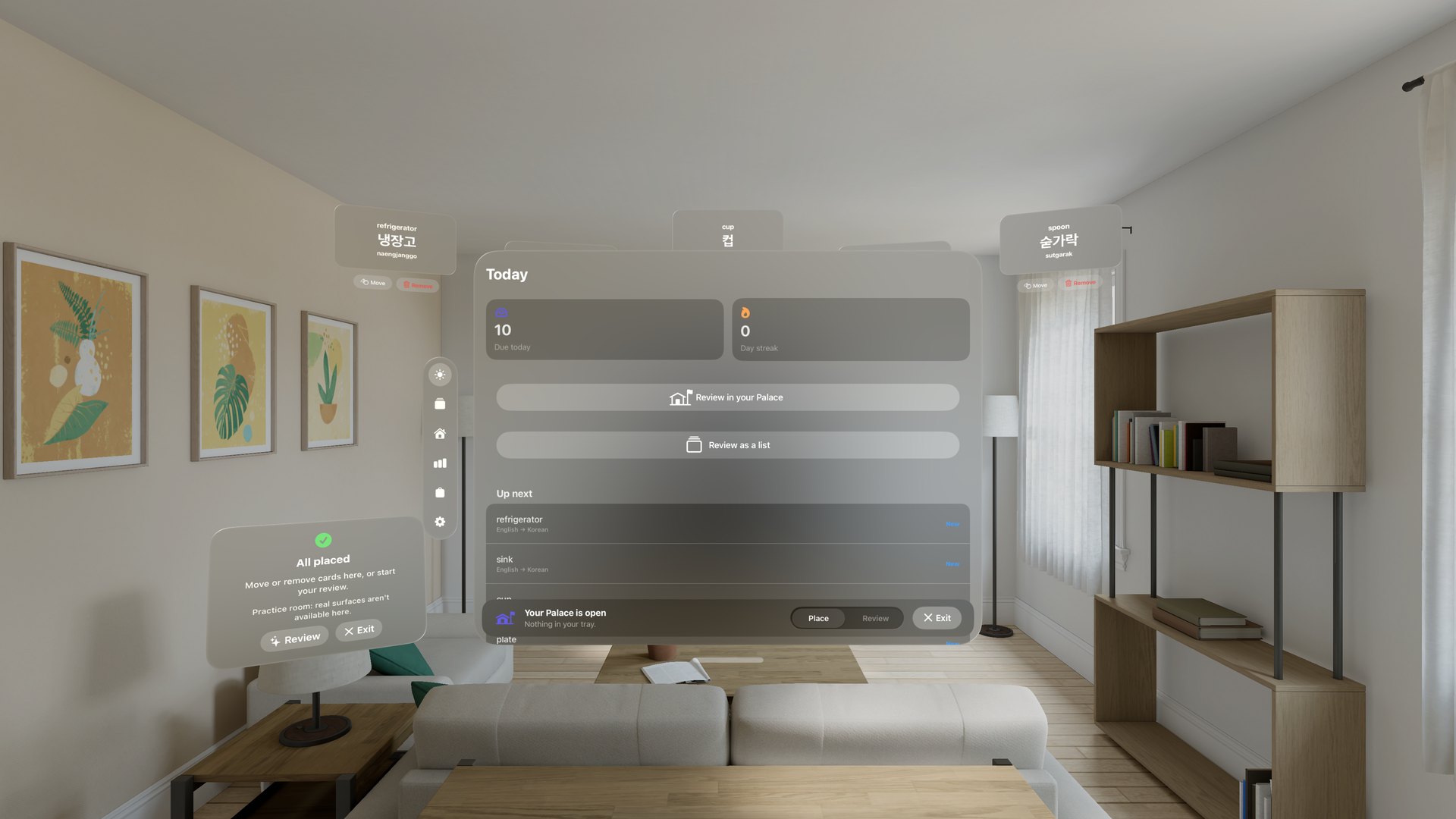
  1. A living room seen through Apple Vision Pro. Small word cards float along the far wall, each showing a Korean word, and a panel on the left reads All placed.
    01

    Place

    On Apple Vision Pro, look at a spot and pinch. The card for refrigerator goes on the fridge; door goes on the door. Each deck starts you on its first fifty household words, sorted by room, so the first cards have somewhere obvious to live.

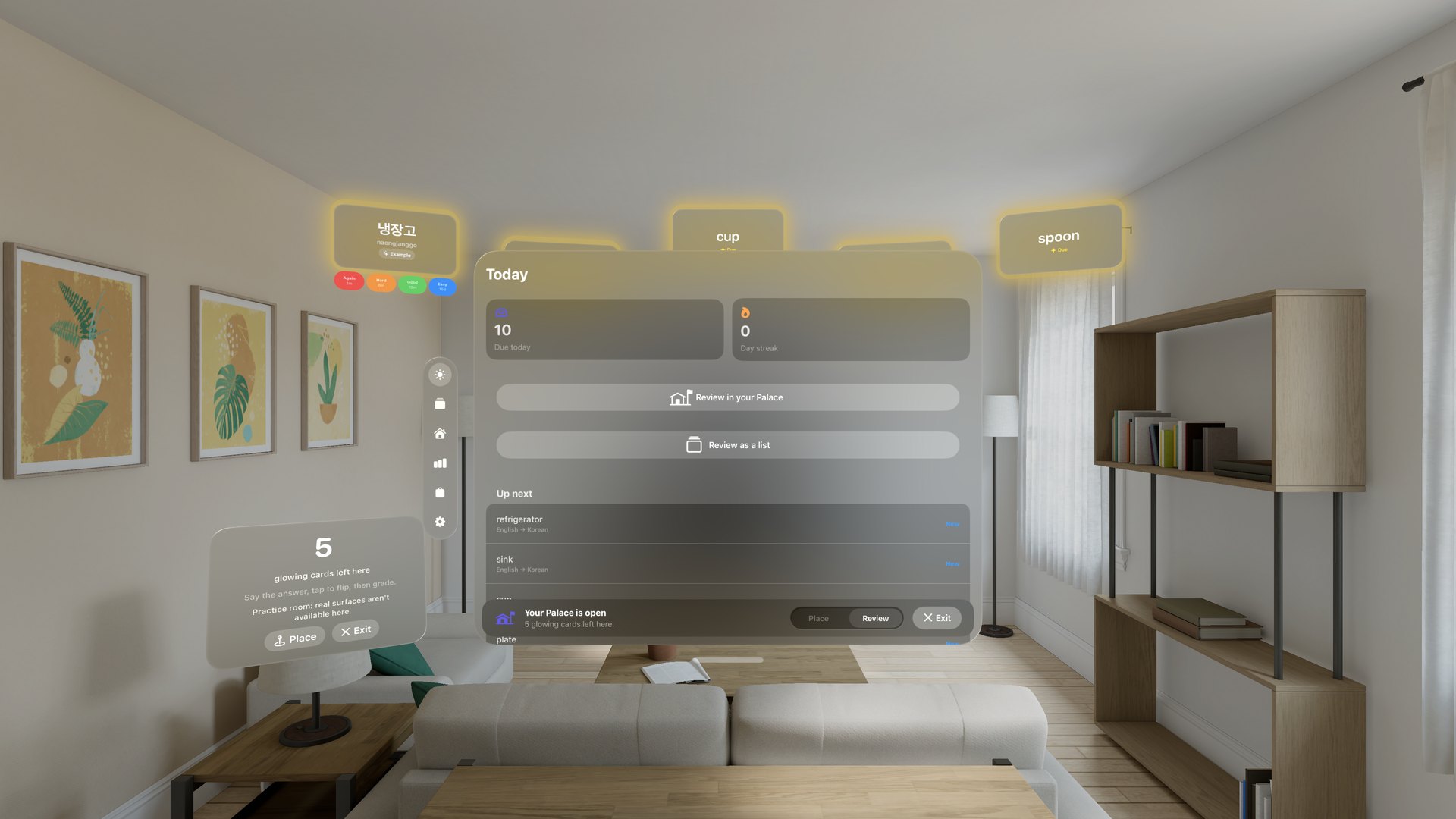
  2. The same room in review mode. The cards that are due glow gold along the wall, and a panel on the left counts five glowing cards left here.
    02

    Recall

    When a word is due, its card glows where you left it. Walk up, say the answer, tap to flip, and grade yourself. Cards stay in their spots between sessions.

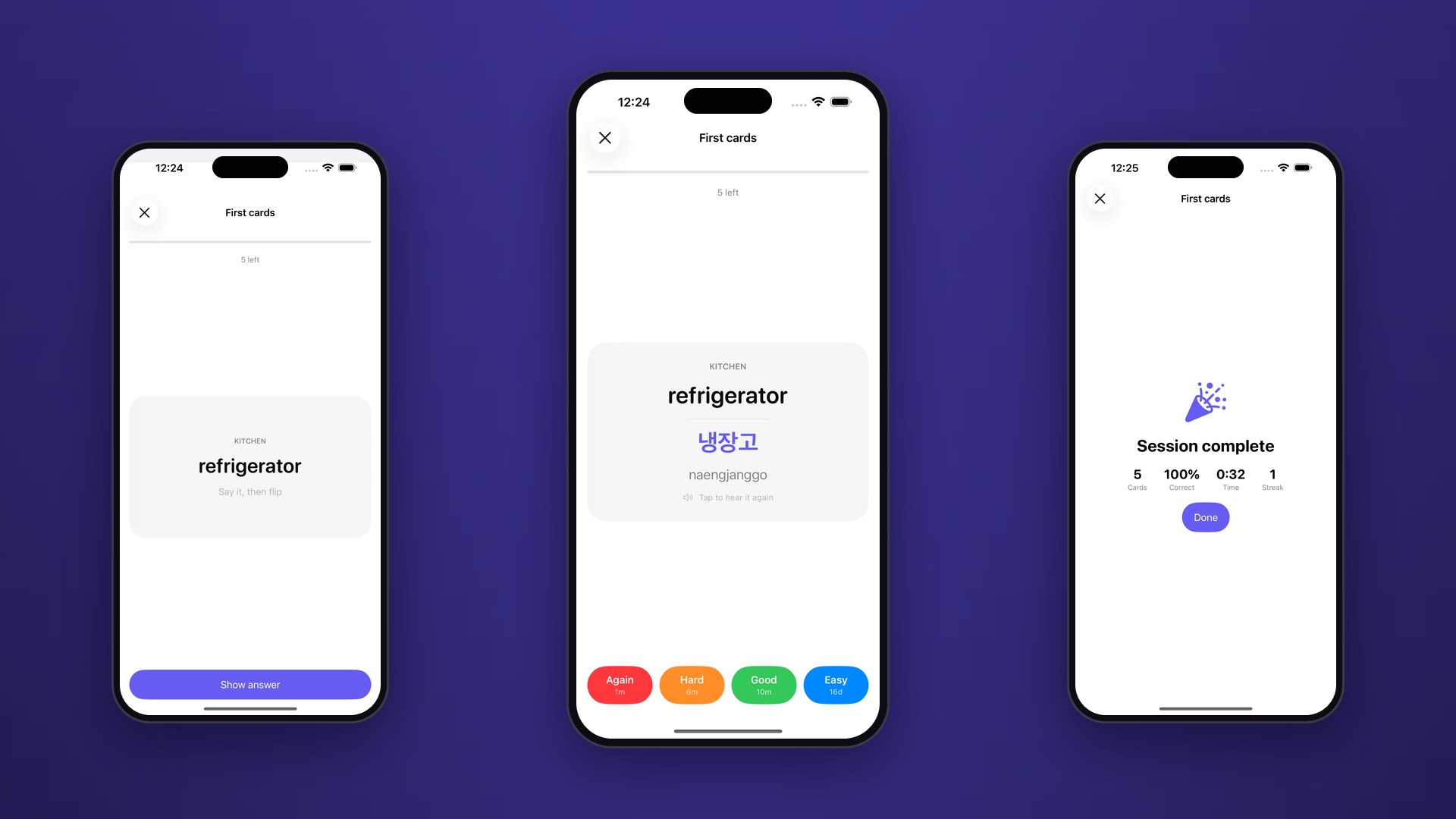
  3. Three iPhone screens side by side: a flashcard showing the word refrigerator, the same card flipped to show its Korean translation with four grade buttons, and a session-complete summary.
    03

    Review anywhere

    Away from your rooms, the same decks work as plain flashcards on iPhone and iPad, and in a window on Vision Pro. A few minutes a day is enough.

What it does

Fewer reviews, better timed.

You remember the words. The schedule remembers when.

01

Shown just before you forget.

Loci schedules each card with FSRS, a modern spaced-repetition algorithm. Words you know drift weeks apart; words you miss come back in minutes. A daily goal caps how many new cards you meet.

  • FSRS scheduling
  • Daily goal
  • Streak
  • Home Screen widgets
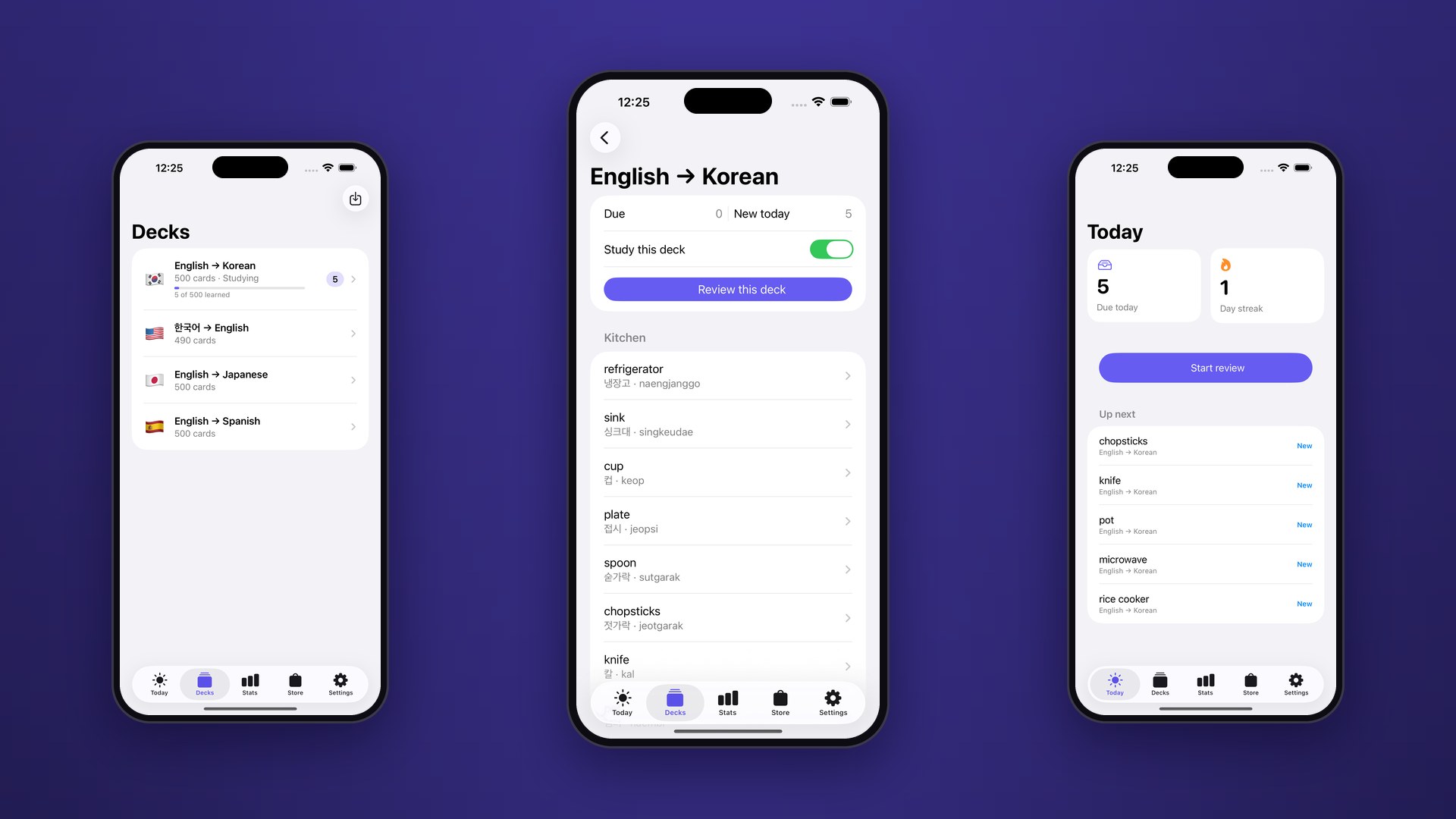
Three iPhone screens: the deck list with a progress bar under English to Korean, the deck opened to its Kitchen section, and the Today screen showing five cards due and a one-day streak.
02

Four decks to start from.

About five hundred everyday words each, grouped by where you would meet them: kitchen, desk, bedroom, food, travel, time. Every answer is spoken aloud, with readings for Korean and Japanese.

  • English → Korean
  • Korean → English
  • English → Japanese
  • English → Spanish
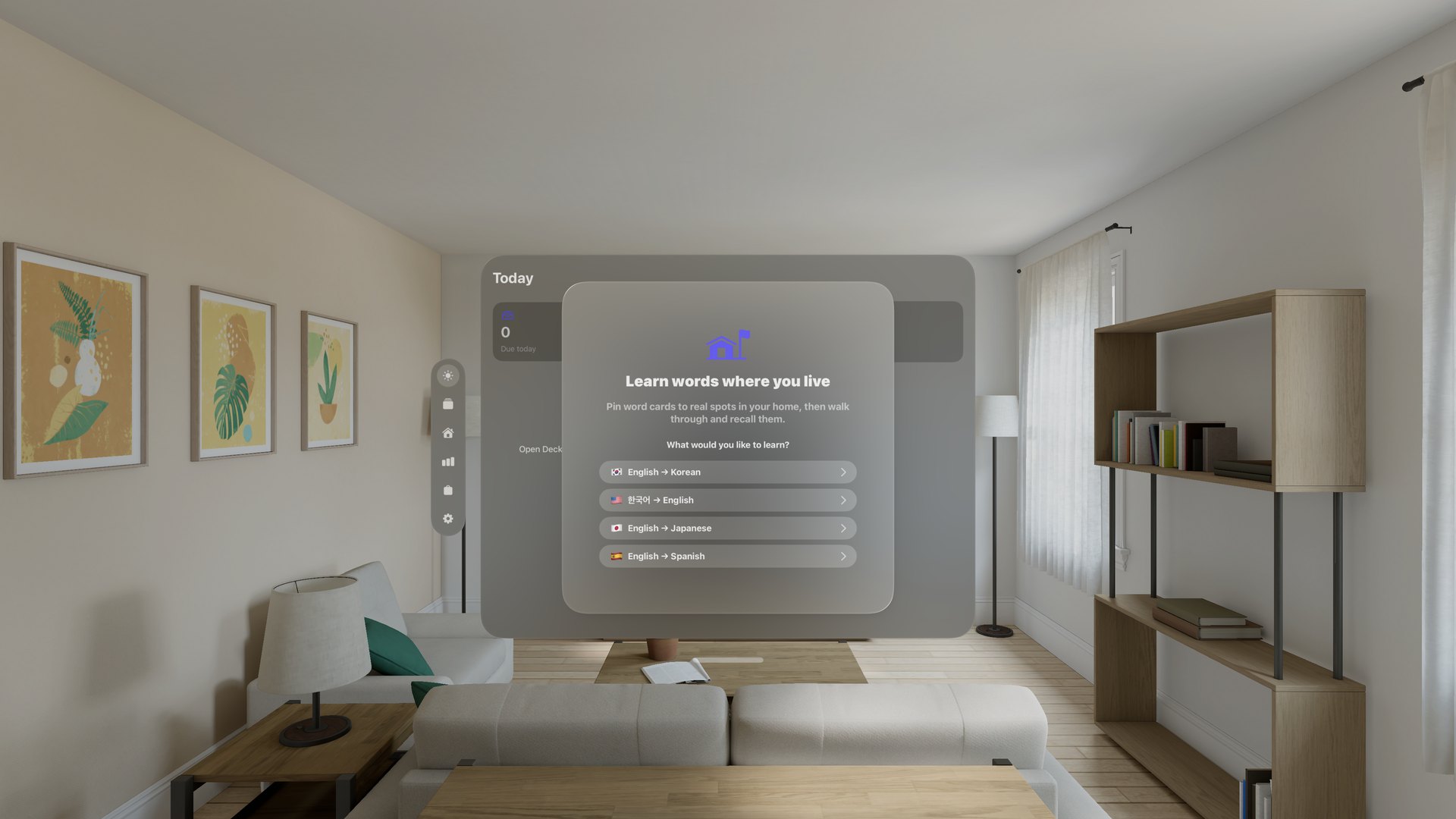
The Loci welcome window floating in a living room on Apple Vision Pro, asking What would you like to learn, with four language decks listed.
03

Bring your own words.

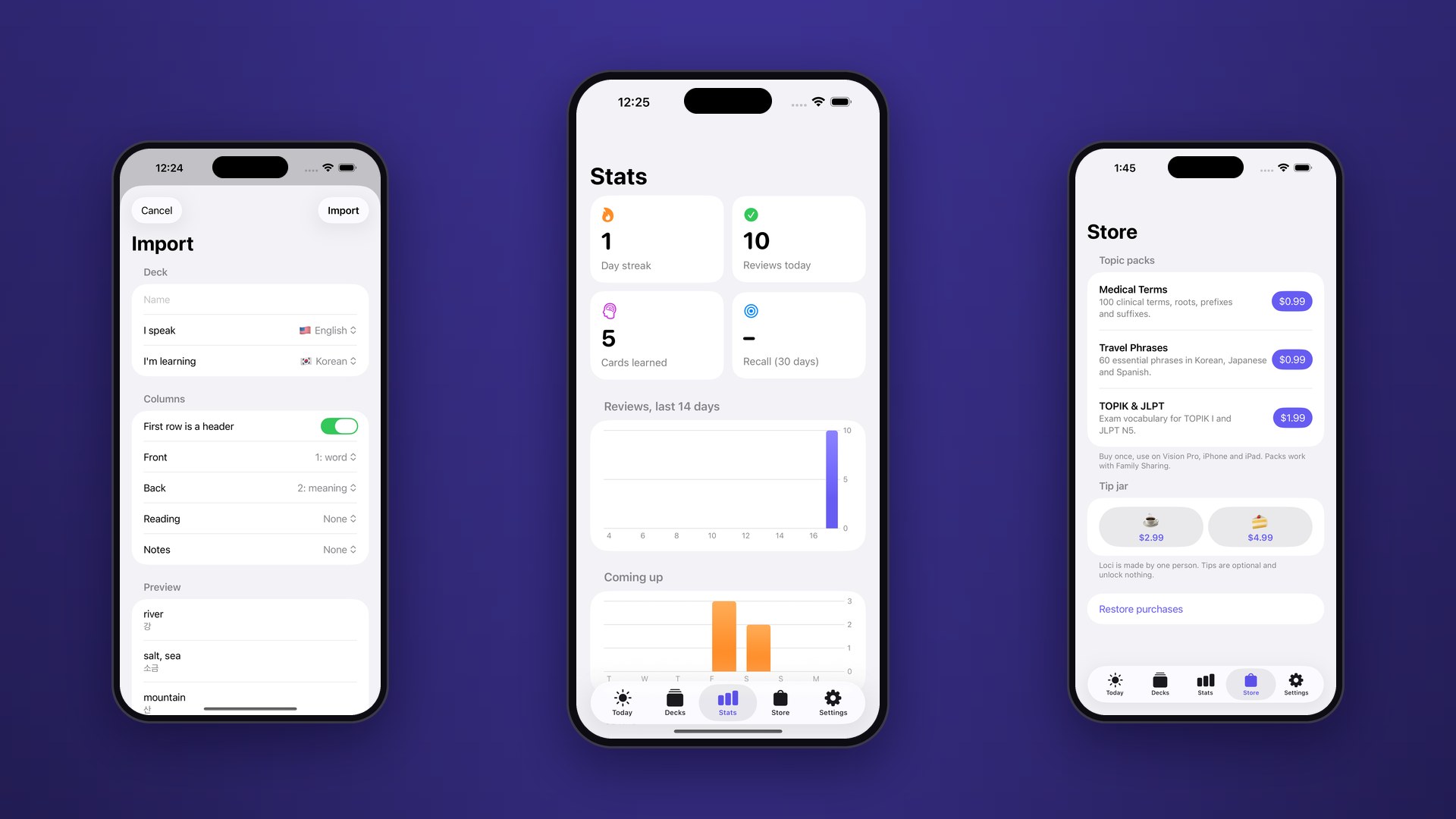
Import a CSV or TSV file, an Anki deck, or just paste a list. Loci shows you the columns it found and a preview before anything is added.

  • .csv
  • .tsv
  • .apkg
  • pasted text
Three iPhone screens: the import screen with column mapping and a preview of three cards, the Stats screen with review charts, and the Store listing three optional topic packs.
04

Private by design.

No accounts, no ads, no analytics, no tracking. Your decks, your progress and the map of your room stay on your device. Read the privacy policy; it fits on one screen.

The details

What it needs, what it includes.

Requires
Apple Vision Pro with visionOS 26, or iPhone and iPad with iOS 26 and iPadOS 26, or later.
Price
Free, with all four core decks. Optional one-time packs add medical terminology, travel phrases, and TOPIK I and JLPT N5 exam vocabulary.
The Palace
Apple Vision Pro only. It asks for World Sensing to find surfaces; without it you get a practice room, and every deck still works as a list.
Import
CSV, TSV and Anki (.apkg) files, or pasted text. Text and readings are imported; images and audio in Anki decks are not.
Decks
English to Korean, Korean to English, English to Japanese and English to Spanish, about five hundred words each.
App language
The interface is in English, Korean and Japanese.
Privacy
Data Not Collected on the App Store. Progress is kept per device; the details are in the privacy policy.

A word for every corner.

The FAQ and privacy policy are already here.

Coming soon to the App Store